Explainer video
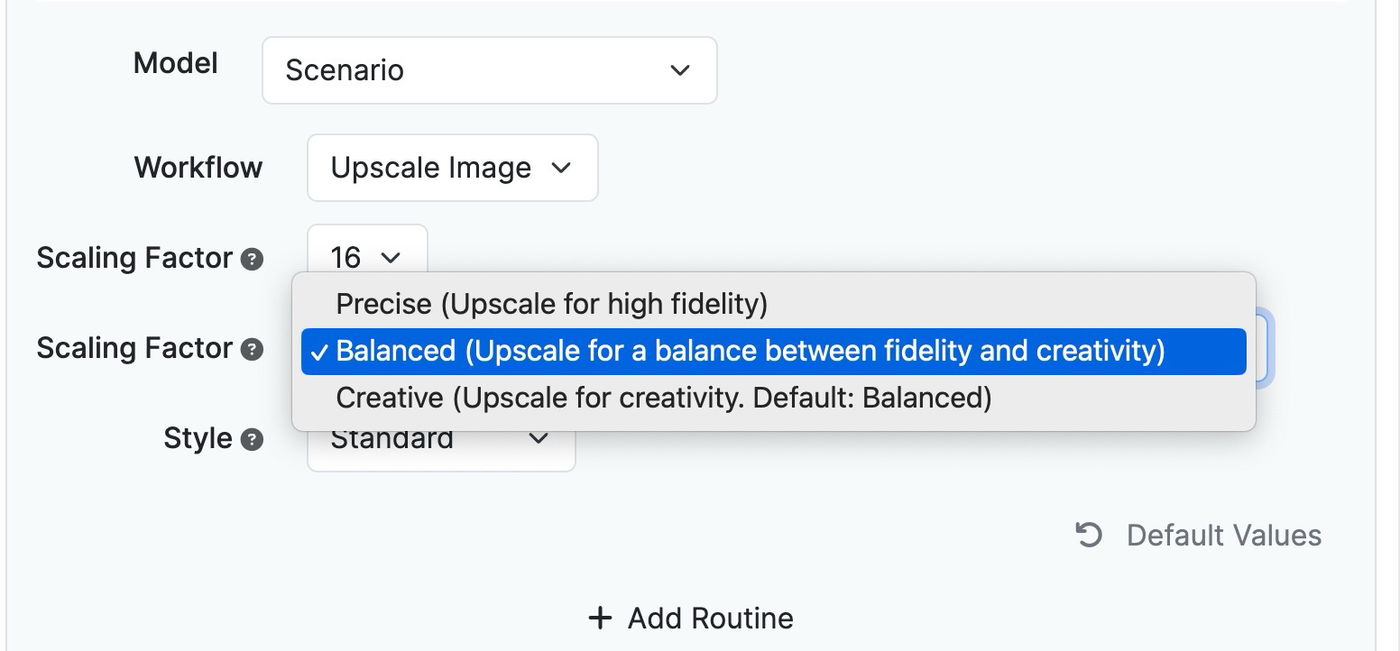
Fixed Issue With Image Upscaler
CATEGORY: Functionality
DESCRIPTION: Resolved issues with the image uploader and upscaler for smoother performance.
IMPACT: Users can now upload and upscale images without encountering errors, enhancing overall user experience.
History Name Editing Issue Fixed
CATEGORY: Functionality
DESCRIPTION: Corrected a bug that prevented editing and saving history names.
IMPACT: Users can now edit and save history names, improving record keeping and organization.
URL Scraper Enhanced for All File Types
CATEGORY: Functionality
DESCRIPTION: Updated URL scraper to correctly handle and upload various file types including images, audio, and videos.
IMPACT: Users can now scrape, upload, and correctly display content from various file types, enhancing content versatility.
Perplexity Models Update
CATEGORY: Functionality
DESCRIPTION: Integrated new Perplexity Sonar models and deprecated older versions for improved performance.
IMPACT: Users will experience improved performance and results with updated models in their applications.
Added GPT-4-o (Omni) Support
CATEGORY: Functionality
DESCRIPTION: Added support for the GPT-4-o (Omni) model for AI content creation.
IMPACT: Users can now leverage GPT-4-o for more advanced and versatile content generation tasks.
Custom App Sorting with Drag & Drop
CATEGORY: User Interface
DESCRIPTION: Implemented drag-and-drop functionality for custom sorting and ordering of apps.
IMPACT: Users can now sort their apps more intuitively, improving their workflow efficiency.
Reset Option Added to Visual Page Editor
CATEGORY: User Interface
DESCRIPTION: Introduced a reset option in the visual page editor.
IMPACT: Users can now reset their edits to the original state, ensuring easier management of edits.
Disable Export Options Capability
CATEGORY: Functionality
DESCRIPTION: Added the ability to disable certain export options.
IMPACT: Users can customize their export functionalities, enhancing control over data management.
Improved Instruction Text Alignment
CATEGORY: User Interface
DESCRIPTION: Aligned instruction text with input fields instead of header texts for consistency.
IMPACT: Users will find instruction texts more intuitively placed, enhancing the form filling experience.
Save Images as Export Option Added
CATEGORY: Functionality
DESCRIPTION: Added a “Save Images” option in the export features.
IMPACT: Users can now directly export saved images, simplifying workflow processes.
Visual Editor Toolbar for App/Bot Card Description Editing
CATEGORY: User Interface
DESCRIPTION: Added a visual editor toolbar to edit app and bot card descriptions.
IMPACT: Users can now use rich text formatting tools to better describe and organize their apps and bots.
Default Sorting Strategy for Admins
CATEGORY: User Interface
DESCRIPTION: Enabled administrators to set a default sorting strategy for apps.
IMPACT: Admins can now organize the default app view, ensuring a more structured display for users.
Duplicate Prompts Across Apps
CATEGORY: Functionality
DESCRIPTION: Added ability to duplicate prompts from one app to another.
IMPACT: Users can now efficiently reuse prompts, saving time in app creation.
Back Button in History Items
CATEGORY: User Interface
DESCRIPTION: Introduced a back button feature in history items for easier navigation.
IMPACT: Users will find it more convenient to manage and review historical data.
Streamlined User Management Across Multiple Websites
CATEGORY: Functionality
DESCRIPTION: Enabled managing the same user/email across multiple websites. Previously, if a user was a member of a PromptForm white labeled site, they couldn't use the same email address for another PromptForm site.
IMPACT: Users' credentials and profiles will be consistently recognized across affiliated websites, enhancing connectivity.
Audio Input Model Fix
CATEGORY: Functionality
DESCRIPTION: Resolved issues with the audio input model to ensure correct transcription and processing.
IMPACT: Users can now utilize audio inputs effectively without encountering errors, enhancing functionality.