See what's new!

Subscribe to updates
© 2025 PromptForm.ai
Jun 16, 2025

CATEGORY: Functionality

DESCRIPTION: Introduced support for PDF files within apps using Claude models. Previously, only images were supported.

IMPACT: Users can now upload and utilize PDF files in their Claude-powered applications, enhancing document handling capabilities.
Jun 16, 2025

CATEGORY: Functionality

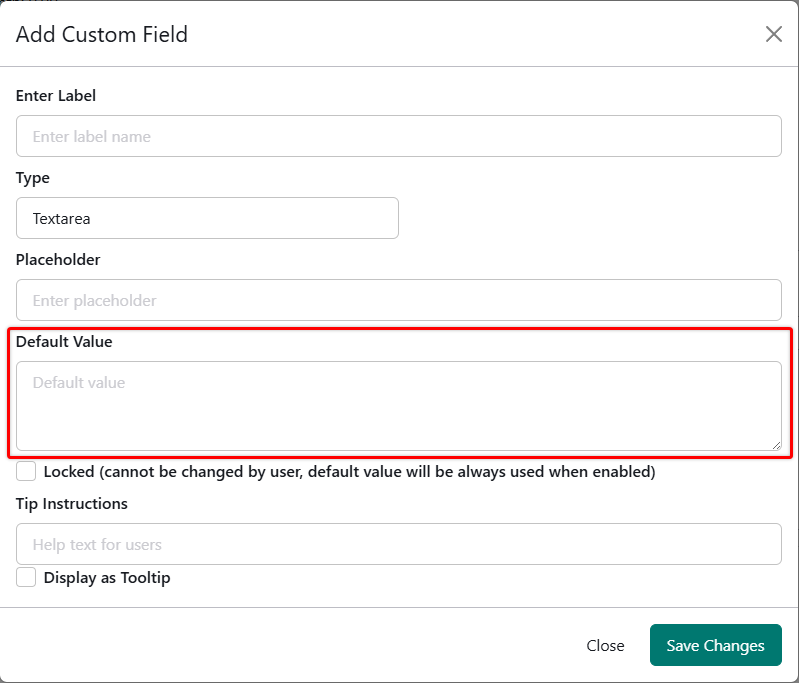
DESCRIPTION: Enabled admin users to set default values for custom fields, which auto-populate in the Memories section.

IMPACT: Simplifies repetitive data entry, enhancing user efficiency and consistency across entries.

Jun 16, 2025

CATEGORY: Functionality

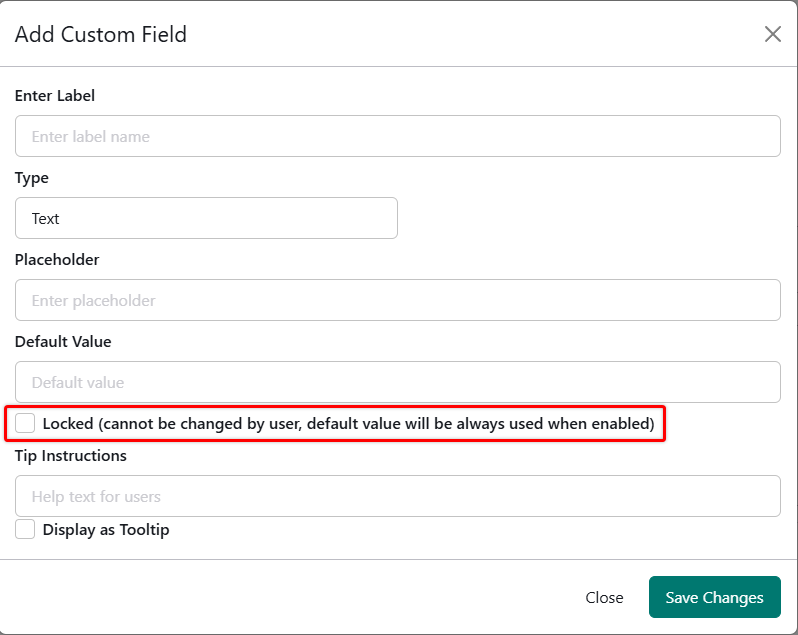
DESCRIPTION: Introduced functionality to lock custom fields, preventing edits by shared users.

IMPACT: Admins can secure field values, offering better control over shared data integrity.

Jun 16, 2025

CATEGORY: Functionality

DESCRIPTION: Resolved an issue where only the first file in an input was used in prompts when multiple files were uploaded. Now, all uploaded files from a single input are correctly passed to the prompts.

IMPACT: Users can now utilize multiple files in their prompts, enhancing the app's flexibility and functionality.

Jun 13, 2025

CATEGORY: UI Consistency

DESCRIPTION: Top Navbar menu items now appear only on the right side, aligning with new sidebar configurations. Styling has been refined for visual consistency with sidebar buttons. The left section of the navbar now dynamically adjusts based on sidebar visibility and screen size.

INSTRUCTIONS:

  • To update Navbar navigation links, go to /websites > Edit Properties > Menus > Navbar Right.
  • Sidebar-related menu items should now be managed from the Sidebar Menu section instead.

IMPACT: These changes streamline the navigation experience, reduce clutter, and improve cohesion between navbar and sidebar components.

More details here

Jun 13, 2025

CATEGORY: Productivity

DESCRIPTION: The new History Panel offers categorized filtering, dynamic loading, improved usability, and quick access to details. Users can scroll, filter, rename, and delete history entries directly from the panel. New items auto-refresh when switching tabs and provide visual indicators for apps vs. bots.

IMPACT: This revamp eliminates friction in reviewing past work, allowing for faster access, better tracking, and enhanced visibility of recent activity.

More details here

Jun 13, 2025

CATEGORY: UI/UX

DESCRIPTION: A major sidebar upgrade introduces a responsive layout with improved navigation. Users can now configure navigation links from /websites > Edit Properties > Menus > Sidebar Menu and apply custom styling from /websites > Edit Styles > Global > Sidebar. Sidebar now supports an offcanvas layout on tablet screens for better space utilization.

IMPACT: The updated sidebar improves workspace flexibility and ensures a more intuitive navigation experience across screen sizes.

More details here

Jun 13, 2025

CATEGORY: Functionality

DESCRIPTION: Added a new QuickChat feature that starts a new chat with the Default Bot when clicked. Chats now use a new default-centered layout for initial messages, transitioning to the full chat interface after the first message is submitted. Other UX improvements include auto-scroll handling, dynamic input sizing, and easier file attachments. Resuming previous conversations is also more intuitive with enhanced chat history interactions.

INSTRUCTIONS:

  • To enable QuickChat to function properly in PromptForm, go to /profile and ensure all Memory Fields are filled in. QuickChat depends on this data for contextual conversations.
  • To enable QuickChat to function properly in your own website, set a default bot via /websites > Edit Properties > Advanced > Default Bot for Chat. This determines which bot the QuickChat (New Chat) button will initiate.

IMPACT: Chat UX is now smoother, smarter, and more customizable. Users can maintain richer conversations with better continuity and clearer context via the updated memory structure.

More details here

Jun 09, 2025

Category: Functionality

Description: Implemented automatic naming of history item titles. This feature provides short titles generated from the first user input message, similar to ChatGPT's functionality.

Impact: Streamlines the organization of history items by reducing manual input required, thus improving user experience and efficiency.

Jun 09, 2025

Category: Functionality

Description: Added functionality allowing team members to view, use, and edit custom fields (saved memories) for shared context within team accounts. This enables collaborative use of consistent information in app operations.

Impact: Enhances team collaboration and consistency by sharing context among team members, facilitating more coherent and efficient app usage.

Jun 04, 2025

CATEGORY: Functionality

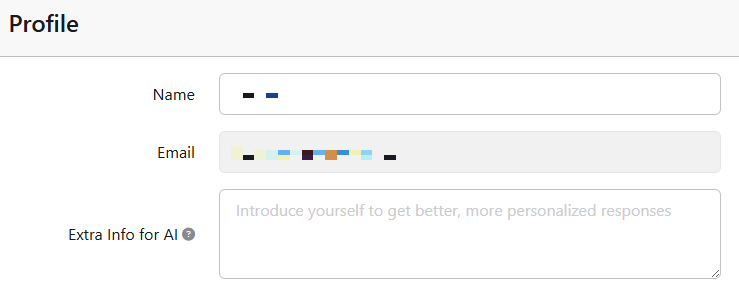
DESCRIPTION: Implemented a feature allowing users to add context to the system prompt directly from their profile, similar to ChatGPT, enhancing user personalization.

IMPACT: Users can now customize how their prompts are processed, providing more tailored AI interactions.

May 26, 2025

CATEGORY: Functionality

DESCRIPTION: Introduced feature allowing users to drag and drop documents into chat input for bot interaction. Supported file types include images and PDF.

IMPACT: Users can seamlessly integrate and analyze documents within chats, enhancing bot conversational context and efficiency.