See what's new!

Subscribe to updates
© 2025 PromptForm.ai

UI/UX

Oct 01, 2025

CATEGORY: User Interface

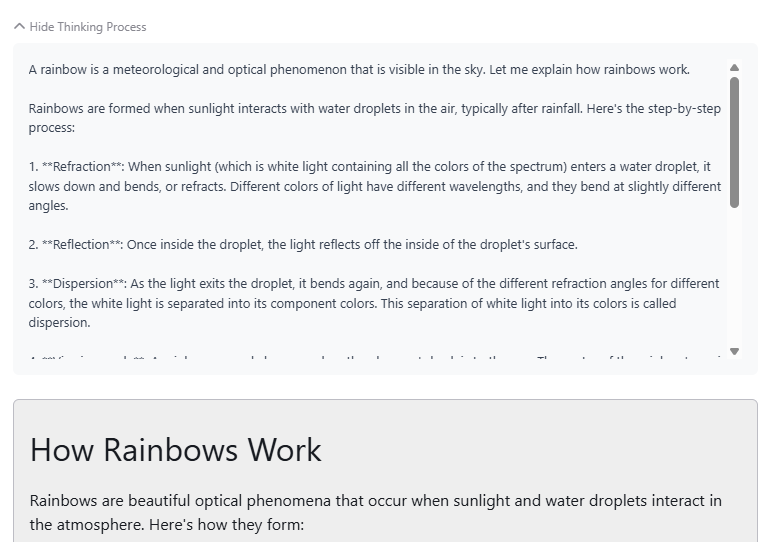
DESCRIPTION: Separated the "Thinking" displays from content results in Claude models, offering clearer interaction feedback.

IMPACT: Users gain a clearer understanding of AI processing, enhancing interaction comprehension.
Sep 24, 2025

CATEGORY: User Interface

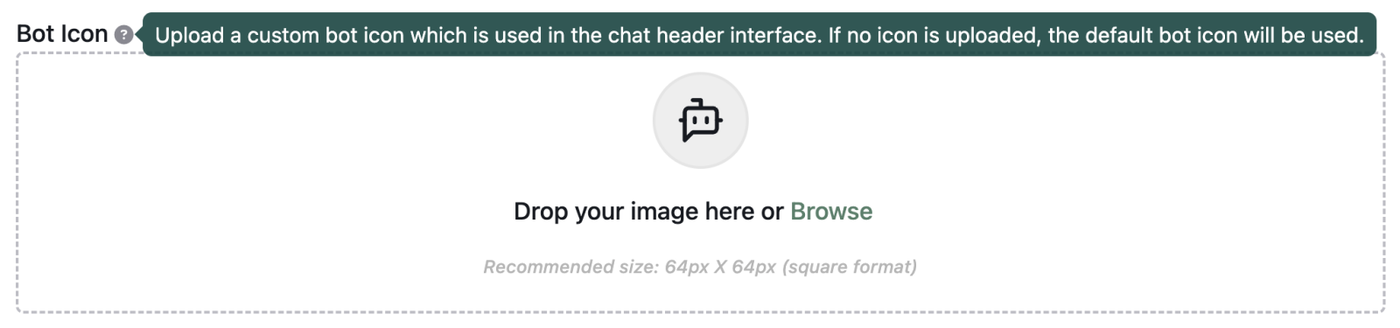
DESCRIPTION: Introduced a feature allowing the customization of bot icons in the chat header, giving each bot a unique visual identity.

IMPACT: Users can now personalize their bot icons, improving the visual distinction and branding within the app interface.

Sep 23, 2025

CATEGORY: User Interface

DESCRIPTION: Modified the default bot menu to display all bots available in the account, rather than limiting to a default of 12.

IMPACT: Enhances user control over bot visibility, ensuring users can access and manage all their bots efficiently.

Sep 23, 2025

CATEGORY: Functionality

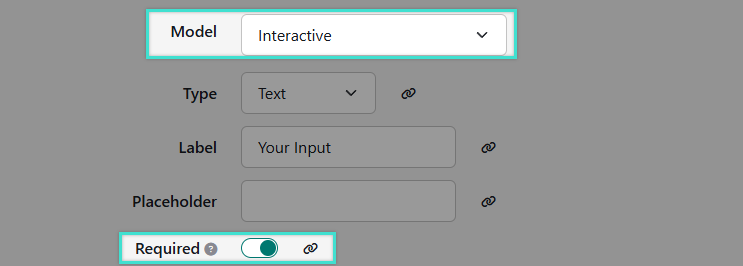
DESCRIPTION: Added "required" option for interactive fields, preventing users from bypassing prompts and ensuring necessary input collection.

IMPACT: Enhances app logic reliability by requiring user input before proceeding, reducing error rates in app processes.

Sep 23, 2025

CATEGORY: User Interface

DESCRIPTION: Updated the account page to better reflect "collect monthly" credit options, clarifying credit allocations and reducing user confusion.

IMPACT: Improved billing transparency and user understanding of monthly credits versus rollovers.

Sep 15, 2025

CATEGORY: User Experience

DESCRIPTION: Resolved an issue where intro messages were not displaying correctly due to being formatted similarly to LLM responses. Introduced a backend identifier to distinguish intros, enabling proper rendering and streaming on the frontend.

IMPACT: Ensures consistent and correct message presentations, enhancing clarity and user satisfaction.

Sep 15, 2025

CATEGORY: User Interface

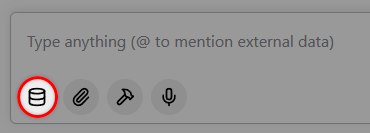
DESCRIPTION: Updated the Chat Memory Selector interface by relocating it from the top of the page to an action button within the chat text area. This makes it less intrusive for users who don't require it and more intuitive for those who do.

IMPACT: Enhances user experience by providing a streamlined and visually appealing interface, leading to improved conversation management.

Sep 11, 2025

CATEGORY: User Interface

DESCRIPTION: Introduced a new Knowledge Center page allowing users to manage memories, tool connections, and documents in a consolidated space.
Learn more →

IMPACT: Users can efficiently manage context and resources, streamlining their workflow.

Aug 27, 2025

CATEGORY: User Interface

DESCRIPTION: Introduced a "Primary Color" style editor option, allowing partners to customize the primary color theme on the homepage.

IMPACT: Users can now personalize the homepage appearance to match their brand identity, enhancing the visual appeal and coherence of the user interface.

Aug 27, 2025

CATEGORY: User Interface

DESCRIPTION: Introduced a brand new Home page with quick chat access, Featured Categories, and Featured Apps.
Learn more →

IMPACT: Provides a more engaging and customizable entry point for users, making it easier to highlight important apps and categories while improving overall navigation.

Aug 16, 2025

CATEGORY: User Interface

DESCRIPTION: Enhanced various chat and sidebar aspects, including updates to the bot editor, user message chat bubbles, chat message box, history panel, and app/bot filters.

IMPACT: Users will experience a streamlined and more intuitive messaging interface, aiding in efficient interaction and engagement.

Aug 16, 2025

CATEGORY: User Interface

DESCRIPTION: Enhanced team management by displaying modals for both new and existing users, providing options for memory entry, plan, and website selection.

IMPACT: Team administrators can now access comprehensive modal interfaces, improving user management flexibility.